
If you want to enable the push certificates with the latest issue cover on the Paperlit apps, you need to create a new Apple certificate (google apps work with no certificates).
In order to do that, please go on your Apple developer account and:
Step 1: Create new app ids
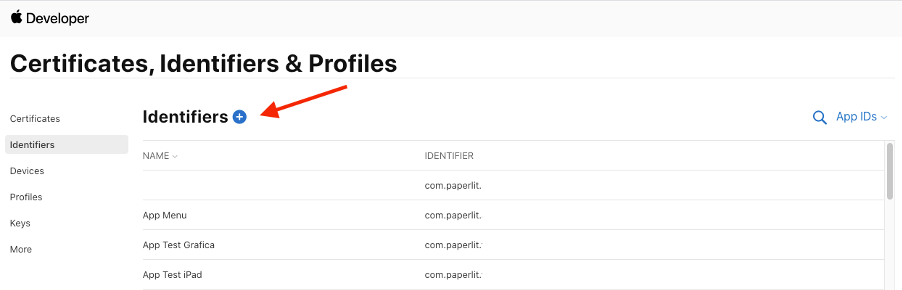
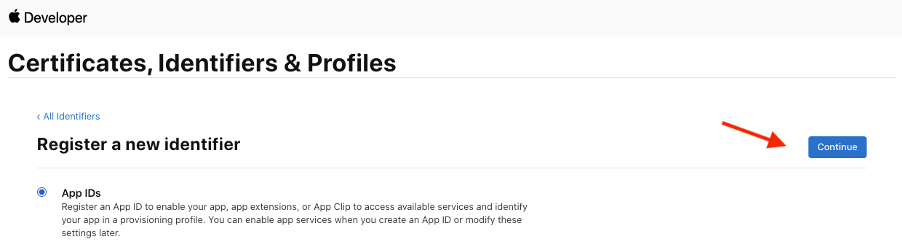
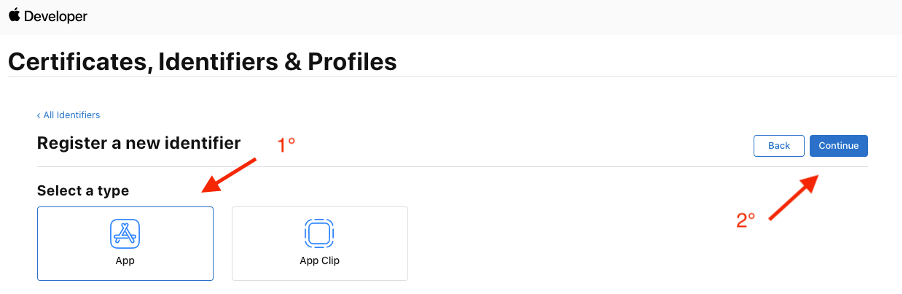
Step 2: if your bundle id is com.paperlit.yourapp you have to register com.paperlit.yourapp.push
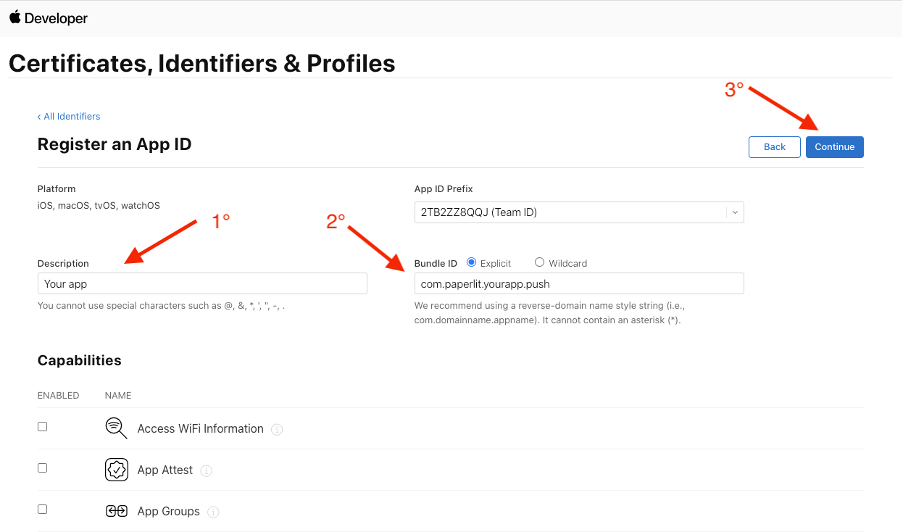
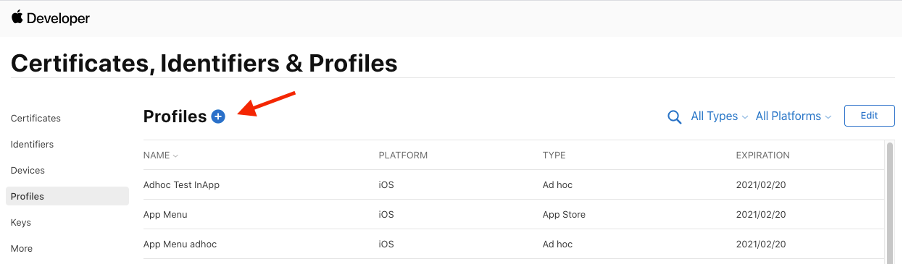
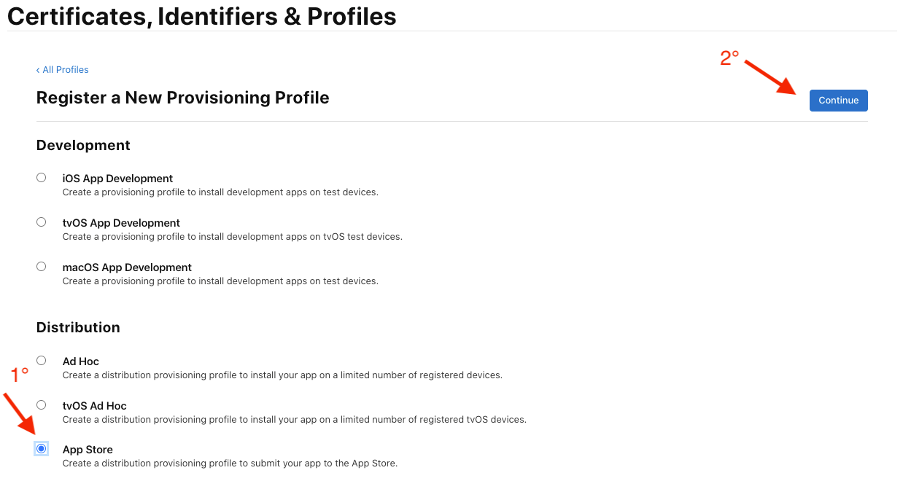
Step 3: Create a new mobile provisioning for app store
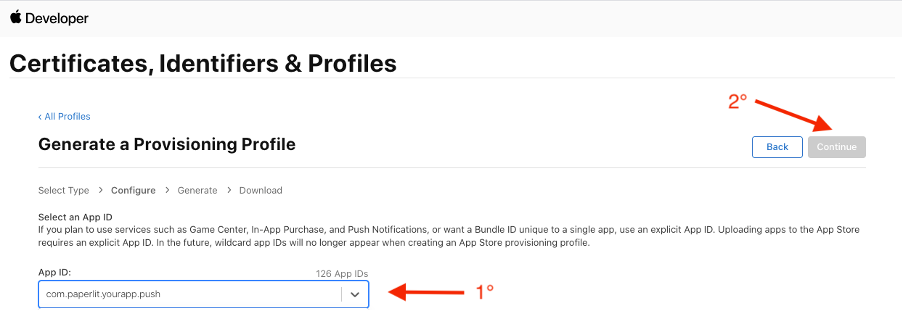
Step 4: Select the bundle .push of your app
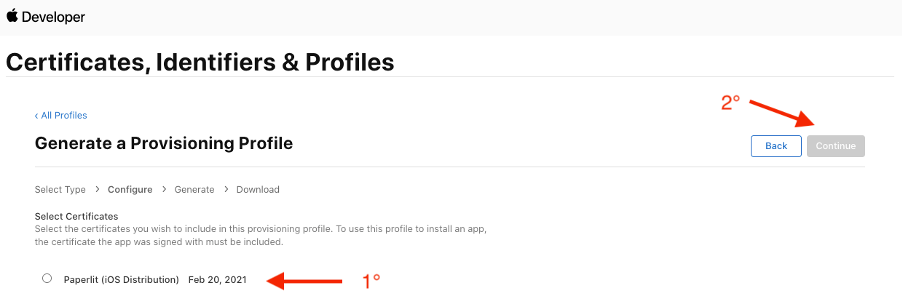
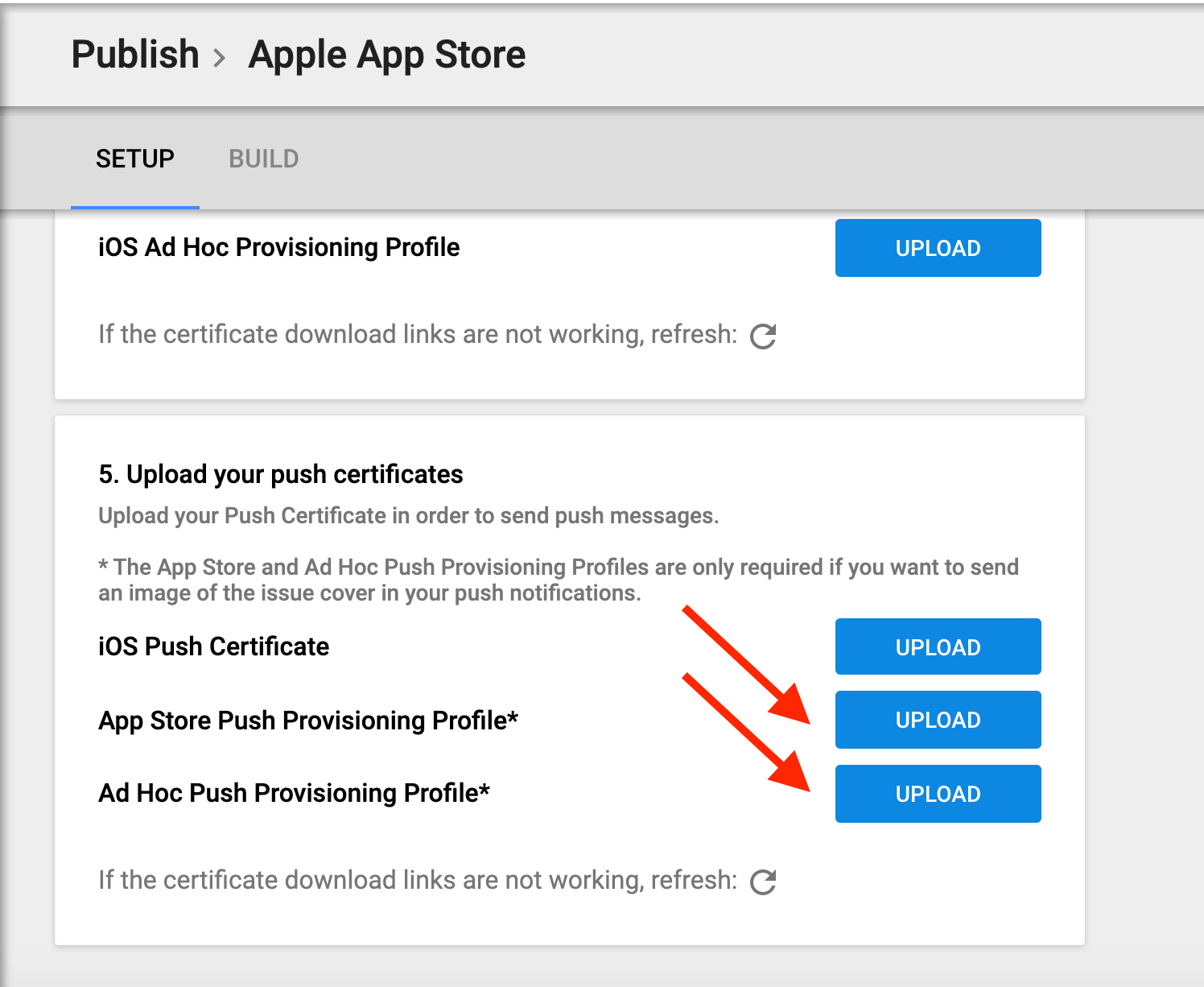
Step 5: Save the certificate and upload it on the Paperlit Dashboard.
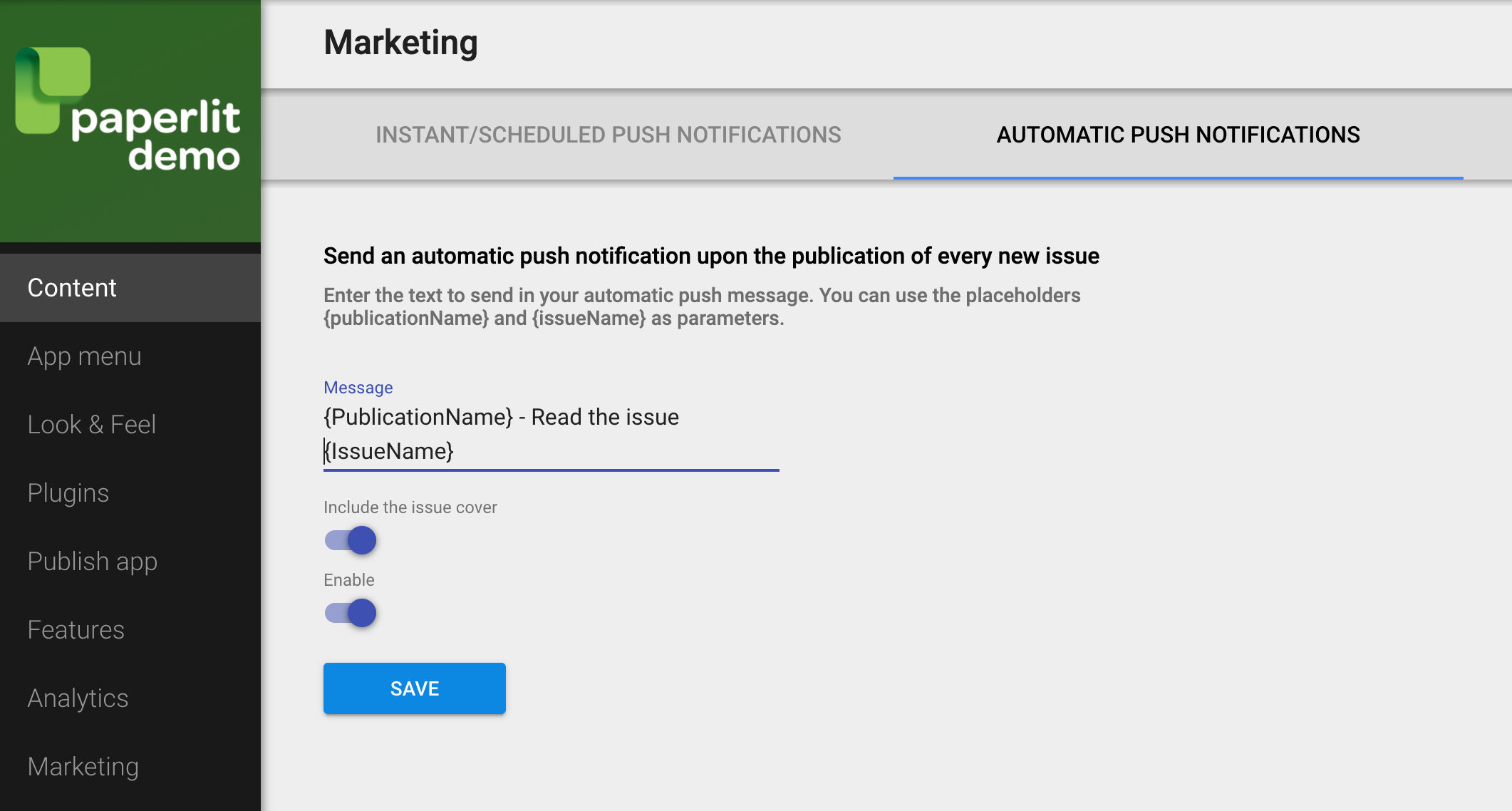
Step 6: enable the push notifications with the issue cover
Comments
0 comments
Article is closed for comments.